
Download Corel WinDVD Pro – Blu-ray 3D Playback, 2D to 3D Conversion, HD Upscaling, Dolby Sound
Overview
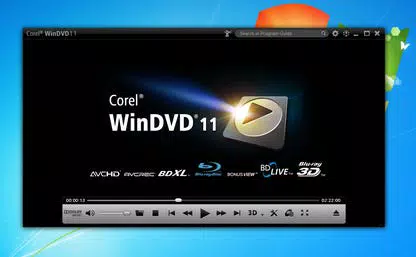
Corel WinDVD Pro 11 is a specialized video playback application designed for users seeking a premium home theater experience on their personal computers. The software supports a wide range of video formats, including Blu-ray 3D, AVCHD, AVCREC, DVD-Video, QuickTime, MPEG-2, and FLV, making it a versatile tool for managing diverse media libraries. Its primary purpose is to deliver high-fidelity audio and video playback, particularly for high-resolution and 3D content, addressing the growing demand for immersive entertainment on desktop systems. Target users include media enthusiasts, home theater aficionados, and individuals with extensive digital video collections who require robust playback capabilities beyond standard media players. While the developer, Corel, is known for its multimedia and productivity software, specific background details about the company’s current development focus were not provided. Real-world use cases include watching Blu-ray 3D movies with enhanced depth and clarity, converting legacy 2D films into 3D experiences, and upscaling standard-definition content for modern high-definition displays. In the broader app ecosystem, Corel WinDVD Pro 11 fills a niche for users who prioritize cinematic quality and advanced playback features, offering a dedicated solution for high-end video consumption.Key Features & Functionality
Corel WinDVD Pro 11 delivers a suite of advanced playback capabilities tailored for high-quality video experiences. The software enables full Blu-ray 3D playback, allowing users to enjoy the latest 3D movies with depth and realism on compatible displays. It also supports BD-Live, an interactive feature that provides access to supplementary content such as behind-the-scenes footage, trailers, and exclusive interviews directly from the disc. A standout feature is the 2D to 3D conversion tool, which transforms standard 2D films into immersive 3D visuals, enhancing the viewing experience for non-3D content. HD upscaling intelligently enhances lower-resolution videos, improving clarity and detail when viewed on high-definition screens. The software integrates superior Dolby sound support, delivering crisp, immersive surround audio that elevates the cinematic atmosphere. Additionally, the built-in movie search engine helps users locate premium online content based on regional availability, streamlining content discovery. These features collectively support real-world scenarios such as upgrading old video collections, hosting home movie nights with enhanced visuals, and accessing interactive disc content. Each function is designed to reduce friction in media consumption, offering a seamless, high-end experience for users invested in visual and audio fidelity.Blu-ray 3D Playback and BD-Live
Blu-ray 3D playback ensures that users can experience the full depth and dimensionality of modern 3D films. The software’s BD-Live integration adds interactivity, enabling access to dynamic online content tied to the disc, such as live events, bonus material, and community features.2D to 3D Conversion and HD Upscaling
The 2D to 3D conversion feature allows users to transform their existing 2D movie library into a 3D viewing experience without requiring new media. HD upscaling improves the visual quality of low-resolution videos, making them more suitable for large, modern displays.Superior Dolby Sound
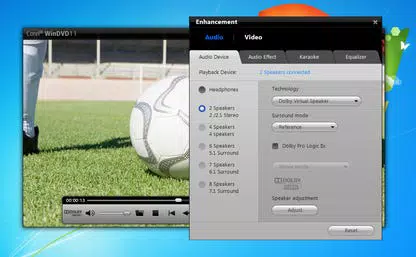
With enhanced Dolby audio processing, the software delivers rich, spatial sound that matches the visual quality, creating a cohesive and immersive entertainment environment.Integrated Movie Search Engine
This feature simplifies content discovery by searching for premium movies available in the user’s region, reducing the time spent browsing multiple platforms.3D Playback Options and 3D Glasses
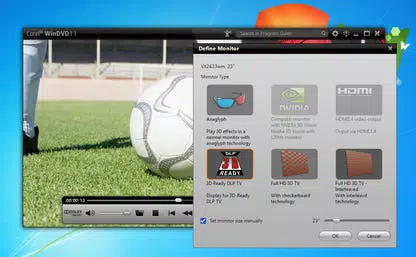
Users can customize 3D viewing settings to suit their preferences, and the boxed version includes 3D glasses, ensuring immediate access to the full 3D experience.Interface, UX & Performance
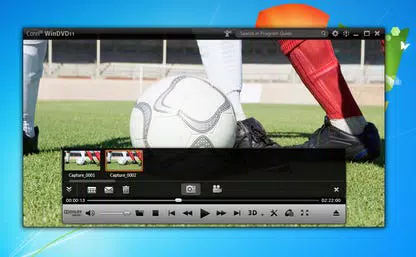
The user interface of Corel WinDVD Pro 11 is designed to support advanced playback functions while maintaining accessibility for users of varying technical skill levels. The layout emphasizes intuitive navigation, with clearly labeled controls for playback, audio settings, and 3D viewing options. Visual design focuses on functionality, with minimal distractions to keep the user’s attention on the content. Navigation flows logically from media selection to playback, with quick access to key features like 3D conversion and audio presets. The software is optimized for performance on modern desktop systems, though specific performance metrics were not disclosed by the developer. Although the developer did not list formal performance metrics, the application is expected to operate smoothly on systems meeting standard requirements for Blu-ray and 3D playback. Responsiveness is maintained during playback, with minimal lag during menu navigation and feature switching. Stability is a core focus, particularly during extended playback sessions or when processing high-bitrate video streams. The software does not report known crashes or compatibility issues in publicly available documentation, suggesting a reliable runtime environment. Overall, the UX prioritizes efficiency and immersion, aligning with the expectations of a professional-grade media player.Platform Compatibility & Technical Requirements
Corel WinDVD Pro 11 is designed for desktop environments, specifically targeting Windows-based systems. The software is compatible with the Windows operating system, though the exact version requirements were not specified by the developer. The file size of the application is approximately 1.2 GB, which is typical for a full-featured video playback suite with advanced decoding and rendering capabilities. This size reflects the inclusion of multimedia codecs, 3D processing engines, and interactive features. Specific hardware requirements, such as GPU specifications or minimum RAM, were not provided. The developer did not specify minimum OS requirements or compatibility with newer Windows versions. Users are advised to ensure their system meets standard requirements for Blu-ray and 3D playback, including support for DirectX and compatible graphics drivers. For optimal performance, a modern processor and dedicated graphics card are recommended. Compatibility with external devices such as 3D monitors or Blu-ray drives was not detailed in the available documentation.Pros and Cons
- Advanced Blu-ray 3D playback with high-quality rendering
- Support for multiple video formats including AVCHD, AVCREC, and MPEG-2
- Unique 2D to 3D conversion feature for legacy content
- HD upscaling improves low-resolution video quality
- Integrated movie search engine for regional content discovery
- Superior Dolby sound support for immersive audio
- BD-Live functionality enables interactive disc content access
- Includes 3D glasses in boxed version for immediate use
- Requires a compatible 3D display and Blu-ray drive for full functionality
- Specific system requirements were not disclosed
- Not available as a mobile app; limited to desktop platforms
- May require additional hardware for 3D viewing experience
- Price point may be higher than standard media players
- Updates and support information were not provided


